Appearance
Choose a business
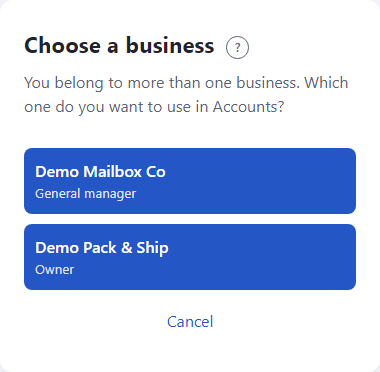
You see this page only if your email belongs to more than one business, for example you work for two owners. It asks which one to use.
Steps
- Sign in as usual. See Sign in.
- On Choose a business, find the business you want. Under each name is your role there: Owner, General manager, Area manager or Employee.
- Click the business.
What happens next
The tool opens for that business, with that business's stores, people and data. Your role there decides what you can do.
To use the other business, sign out and sign in again, then pick the other one. See Sign in.
If something looks wrong
- A business is missing. You have not been invited to it yet, or someone turned your access off. Ask its owner.
- You only work for one business. Then you never see this page. That is normal.
- Choose one of your businesses. You clicked away without picking. Click one of the buttons.
- More: Troubleshooting.